Guides/Tutorials
Chest/Furnace/Door Protection: (only you and people you choose can use the protected block.)
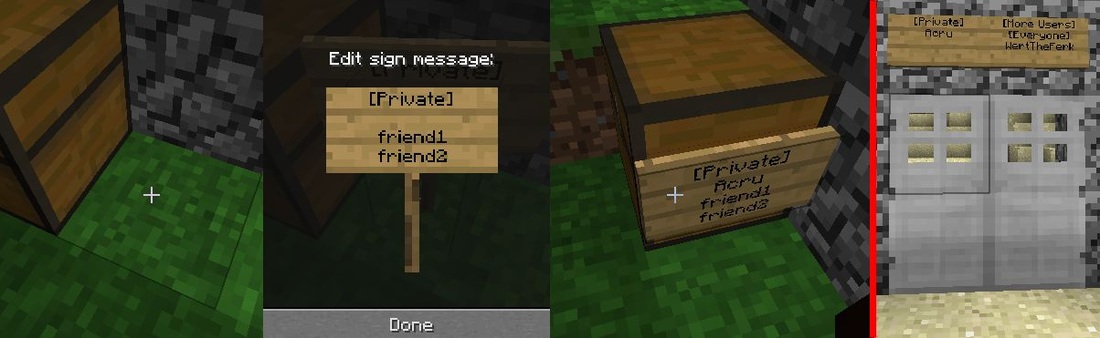
Place a sign directly in front of a door/furnace/chest. Type in the following with line 3 & 4 being optional:
1st Line: [Private]
2nd Line: (Empty, it will fill in automatically)
3rd Line: Friend 1 (optional)
4th Line: Friend 2 (optional)
Place a sign directly in front of a door/furnace/chest. Type in the following with line 3 & 4 being optional:
1st Line: [Private]
2nd Line: (Empty, it will fill in automatically)
3rd Line: Friend 1 (optional)
4th Line: Friend 2 (optional)
Mutli-homes: (VIP+ for multiple homes. If a member, replace [ Name of Home ] with nothing)
/sethome [ Name of Home ] - Create a new Home
/home [ Name of Home ] - Teleports you to your Home
/delhome [ Name of Home ] - Remove’s your 2nd home
/home - Shows a list of your home’s
Jobs:
/jobs browse - View list of all available jobs
/jobs join [ job name ] - Joins the job you selected. ( Example: /jobs join Woodcutter)
/jobs leave [ job name ] - Leaves the current job. ( Example: /jobs leave Miner )
/jobs info [ job name ] [ break/ place/ kill ] - View information about that job. ( Example: /jobs info Miner break )
/jobs stats - view your job level and experience needed to level up.
Money:
/money - Shows your account balance.
/money pay [ player name ] [ amount ] - Pays a specific person. ( Example /money pay funkystudios 500 )
Shops:
- Place a chest and fill it with an item that you want to sell. The shop will take items from this chest.
- Write a sign similar to an example found here. Make the last line blank. If "funkystudios" wanted to sell 10 cobblestone for $10, the sign would look like this:
1st Line: (leave blank, it will fill your name in automatically)
2nd Line: 10 cobble
3rd Line: $10 - You should see a helpful message. If this doesn't happen, or you get a notification similar to "I can't do this for you", then the sign may have been typed incorrectly. Items such as "cobblestone" can be typed as "cobble".
- Type /duckshop link to connect the chest. Follow the on-screen instructions (punch the sign, then the chest).The shop should be working now.
- Right click the sign to get a free stack of cobblestone. (Optional, just to test it out)
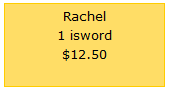
If Rachel wanted to sell iron swords, $12.50 for 1 sword, her sign would look like this: